Hey, as I can see you downloaded it directly instead of using composer (so I guess you’ll have problems with class autoload). For current problem you may use mysql.schema.sql in migrations/ folder.
If you’ll have futher troubles I’ll just create archive with whole project when I’ll be back from vacation and give you =)
So I was hoping to get this installed and am having some fun with it.
So just some information for you:
I downloaded the advanced template, I first tried to run the migration is said there was already a users table, so I renamed the old user table and migration ran fine.
I am installing the user management on “advanced template”. But it can’t find the config/console.php, where we put the migration configuration during installation. I know this is easy, but i am new to YII.
On MSSQL i get the following error message when trying to apply the installation migrations:
*** applying m140611_133903_init_rbac

    > create table {{%auth_item_child}} ...Exception 'yii\db\Exception' with message 'SQLSTATE[42000]: [Microsoft][ODBC Driver 11 for SQL Server][SQL Server]Introducing FOREIGN KEY constraint 'FK__auth_item__child__3CBF0154' on table 'auth_item_child' may cause cycles or multiple cascade paths. Specify ON DELETE NO ACTION or ON UPDATE NO ACTION, or modify other FOREIGN KEY constraints.

The SQL being executed was: CREATE TABLE [auth_item_child] (

        [parent] varchar(64) NOT NULL,

        [child] varchar(64) NOT NULL,

        PRIMARY KEY (parent, child),

        FOREIGN KEY (parent) REFERENCES [auth_item] (name) ON DELETE CASCADE ON UPDATE CASCADE,

        FOREIGN KEY (child) REFERENCES [auth_item] (name) ON DELETE CASCADE ON UPDATE CASCADE

)'
Hello install the extension but although I think it works well no achievement view , the menu looks like a vertical list annexed image. I would also like to explain to me that I put in each controller to operate the extension. Thank you
I can not upload the image strip me the following error:
The server returned an error Error during upload.
But basically it is the menu that you place in views / layouts / main.php is displayed incorrectly as a list down, as if he were some css.
And the other query as mentioned above is know to be placed on each controller for the site to work through this extension
How can I do the permission for my custom controllers. e.g I create a controller as AbcControler at backend/controllers/. And I create 3 roles, unsign_user, Signed_user, Authorized_user. The "unsign_user" can access the actionView of AbcController. Signed_user can access the actionEdit and actionView of AbcController. Authorized_user will do full access of the AbcController.
How can I do?
Same as frontend
Thanks
P.S : I already setup the user-management in my project. It is working well. great creation.

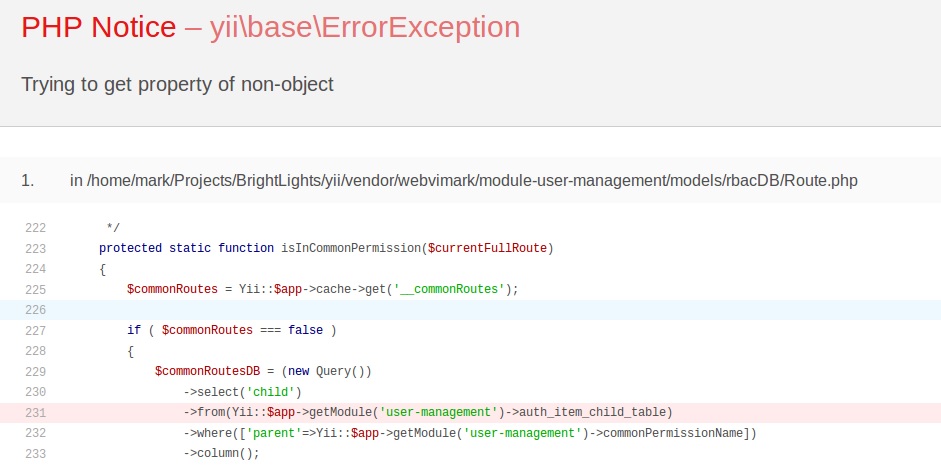
 Thanks for the tip now I can check it all out.