Probably something wrong with image component.
Can you show response from server? (there, should be, some description of error which occured on server - You can see it in network tab in crome developer tools)

Probably something wrong with image component.
Can you show response from server? (there, should be, some description of error which occured on server - You can see it in network tab in crome developer tools)
This is some error that I can show. 3374
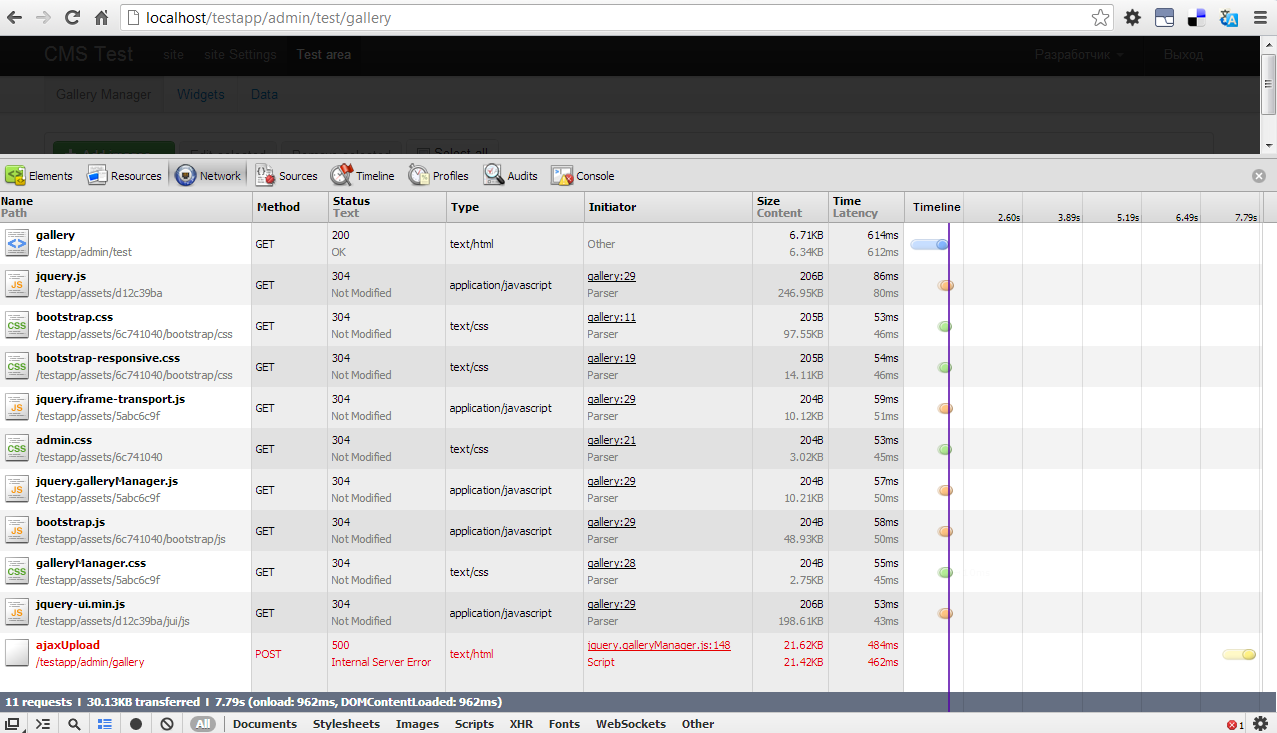
This is "application.log" file.
I have tested something.I added photo direct to server by mysql.
3376

I tested editing and deleting.It’s work.Except Adding new image It’s not work.
3377
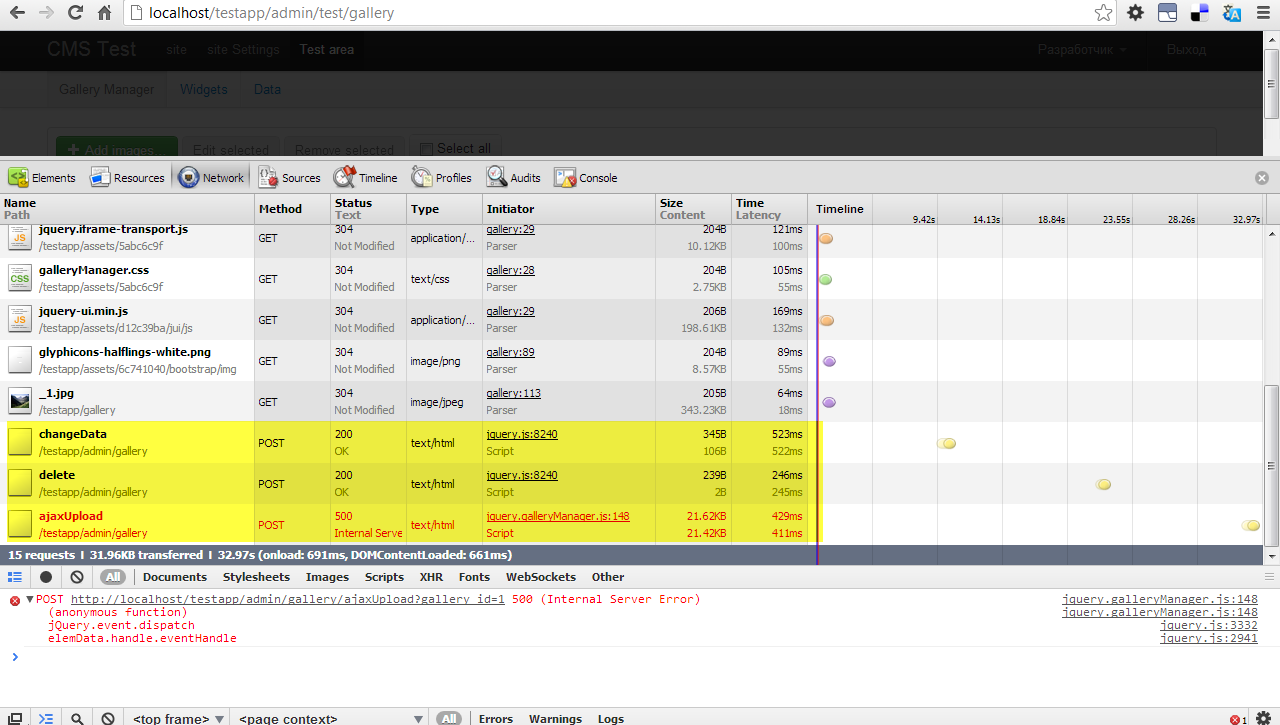

Ok. Application log is good.
Two errors in application log was because error when uploading photos to server.
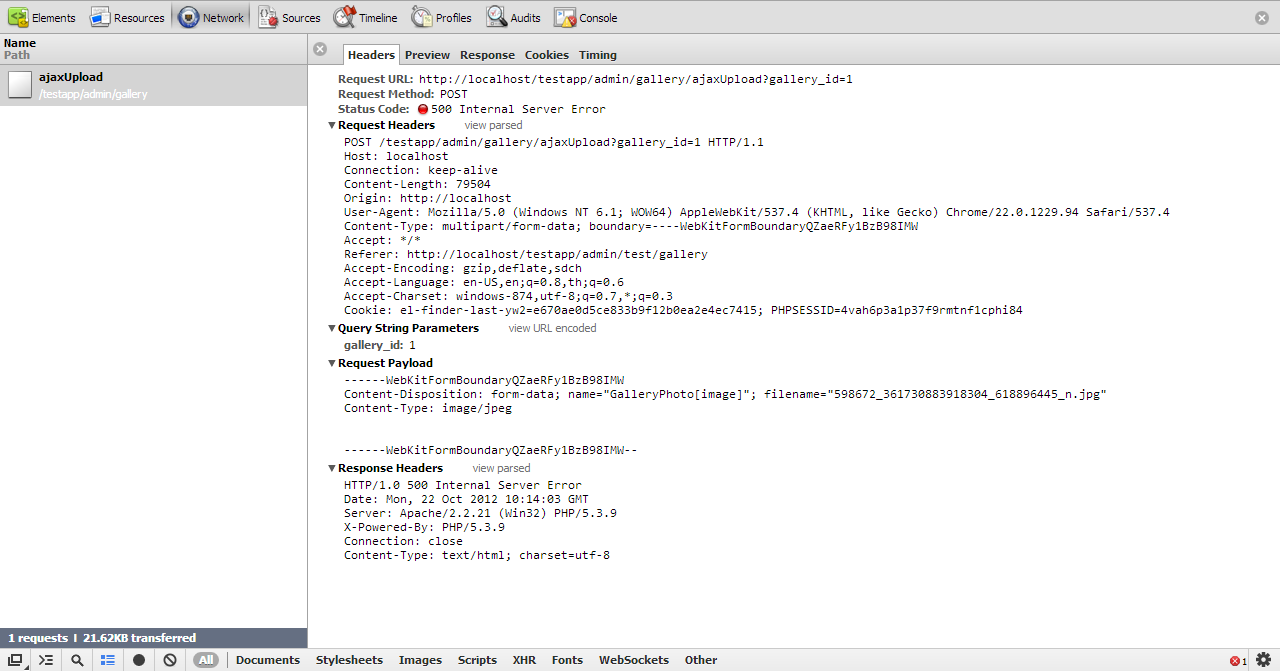
About network tab - can you show responce body after upload error?
Header:
3378
Preview:
3379
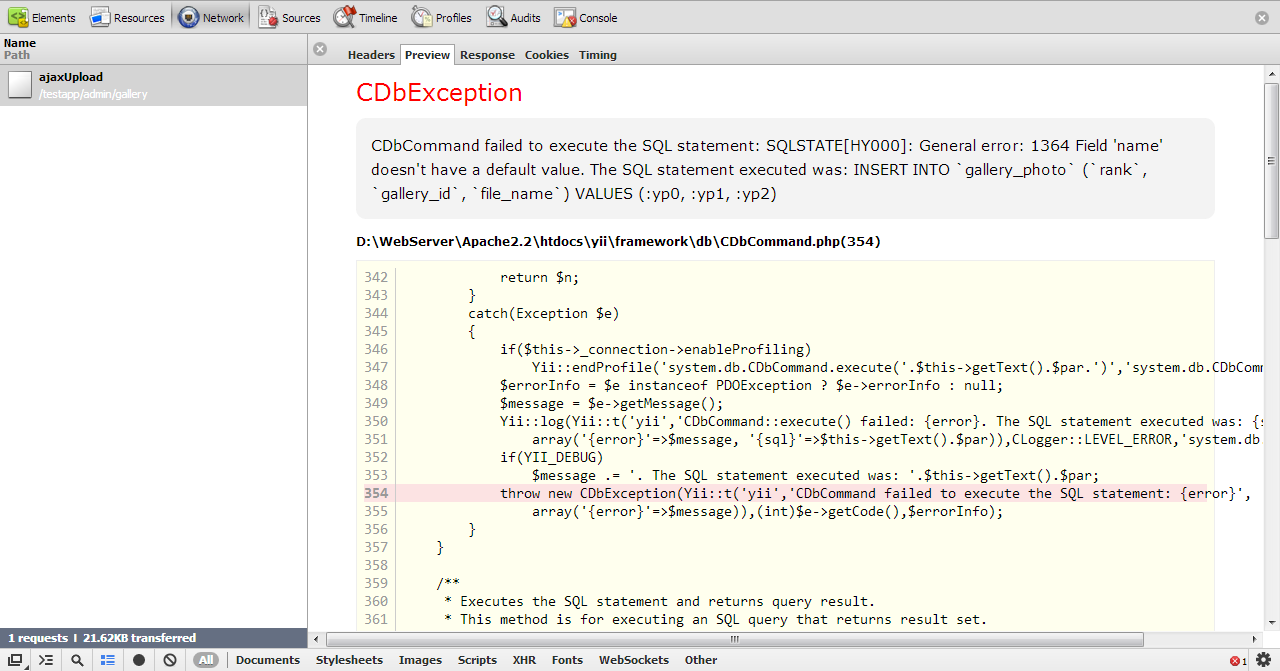
Response:
3380
If you want other Information.You can tell me more.
Bug was fixed, correspounding changeset.
The problem was beause of mistake in database schema, that caused crashes on some mysql configurations.
Thaks for reporting
Hi,
I followed all the instructions as http://www.yiiframework.com/extension/gallerymanager/
but I’m getting the below error,
Unable to resolve the request "<controller>/imgManager".
imgManager is the module name
I’m new to yii, Please help me
thanks
Hi, I’m having problems with uploading new image:
postimage.org/image/eki3eyh79/
There’s no form and only cancel button works. When I click cancel and manually reload page image shows in the gallery as uploaded with empty name and description.
Check what responce comes from server. Probably there will be error description(you can see responce from server in network tab in chrome developer tools)
Sounds a good extension ideea, i’ll give it a try.
Here’s the error log.
PHP warning


call_user_func_array() expects parameter 1 to be a valid callback, class 'Image' does not have a method 'centeredpreview'


/project/htdocs/protected/extensions/galleryManager/models/GalleryPhoto.php(148)


136     }

137

138     public function setImage($path)

139     {

140         //save image in original size

141         Yii::app()->image->load($path)->save($this->galleryDir . '/' . $this->getFileName('') . '.' . $this->galleryExt);

142         //create image preview for gallery manager

143         Yii::app()->image->load($path)->resize(300, null)->save($this->galleryDir . '/_' . $this->getFileName('') . '.' . $this->galleryExt);

144

145         foreach ($this->gallery->versions as $version => $actions) {

146             $image = Yii::app()->image->load($path);

147             foreach ($actions as $method => $args) {

148                 call_user_func_array(array($image, $method), is_array($args) ? $args : array($args));

149             }

150             $image->save($this->galleryDir . '/' . $this->getFileName($version) . '.' . $this->galleryExt);

151         }

152     }

153

154     public function delete()

155     {

156         $this->removeFile($this->galleryDir . '/' . $this->getFileName('') . '.' . $this->galleryExt);

157         //create image preview for gallery manager

158         $this->removeFile($this->galleryDir . '/_' . $this->getFileName('') . '.' . $this->galleryExt);

159

160         foreach ($this->gallery->versions as $version => $actions) {
This happens with original image extension.
With modified one no properties window is shown and I get this:
SyntaxError: JSON.parse: unexpected non-whitespace character after JSON data

var resp = JSON.parse(this.response);
At jquery.galleryManager.js line 144
If you are using original Image extension, you should know that there is no method named "centeredpreview" - it is method added in my fork.
So if you need this method - use proper image extension, or implement your own centeredpreview method in image extension.
I tried your fork and got the following error:
SyntaxError: JSON.parse: unexpected non-whitespace character after JSON data

var resp = JSON.parse(this.response);

At jquery.galleryManager.js line 144
This error happens because server response is not json( as it is required by client script) - it is html text with description of an error that happend on a server.
You should look for error description in server response.
Thanks for your great extension.
Using your cms-app i can successfully access(upload image, update…) the admin gallery controller.
But the problem is in the index page the gallery is not shown.
How can i do this?
I’m using GalleryBehavior.
In Google Chrome I get different error at console:
Uncaught SyntaxError: Unexpected token < jquery.galleryManager.js:144

xhr.onload jquery.galleryManager.js:144
There’s no error in server response, just this (see attached)
Response should be json - the problem is in CWebLogRoute, it appends html code to json, so response it can not be parsed as JSON.
Try to disable CWebLogRoute.
Ok, I disabled it and now all work fine. Thanks!!
Расширение очень понравилось. А возможно ли как-то манипулировать качеством jpeg-сжатия изображений?
Да, для обработки изображений используется расширение yii-image: там есть метод quality для установки качества созранения в процентах.